 XERO TO GOOGLE SHEETS
How to connect Xero to Google Sheets.
Five steps, then refresh.
Install the XO Report add-on, sign in to Xero and pick your organisation. Your Xero reports and lists then come into Google Sheets as tables you refresh with a click. Access is read-only.
Connect Xero to Google Sheets in five steps.
The same steps as the video.
Steps 1 to 3 make the connection. Steps 4 and 5 put it to work. You need a Xero login that can connect apps.
STEP 1
Get the add-on
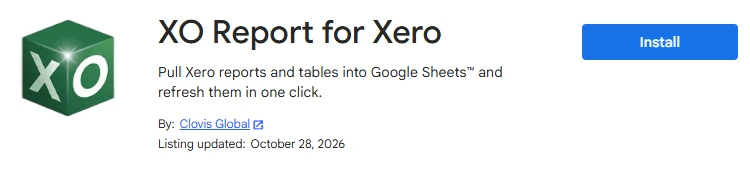
In Google Sheets, go to Extensions, Add-ons, Get add-ons. Search for "XO Report" and install XO Report for Xero. Google then asks you to allow the add-on's permissions.
You can also install it from its Google Workspace Marketplace page.
STEP 2
Open the sidebar
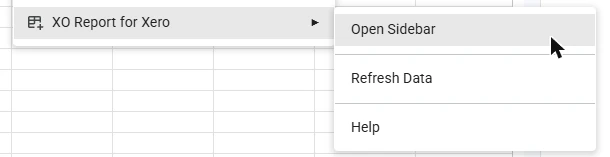
Go to Extensions, XO Report for Xero, Open Sidebar. The XO Report sidebar opens on the right of the spreadsheet.
STEP 3
Connect to Xero and pick your company
Click Connect to Xero. Xero's own page opens: sign in, pick the organisation and click Allow access. Xero adds one organisation per sign-in.
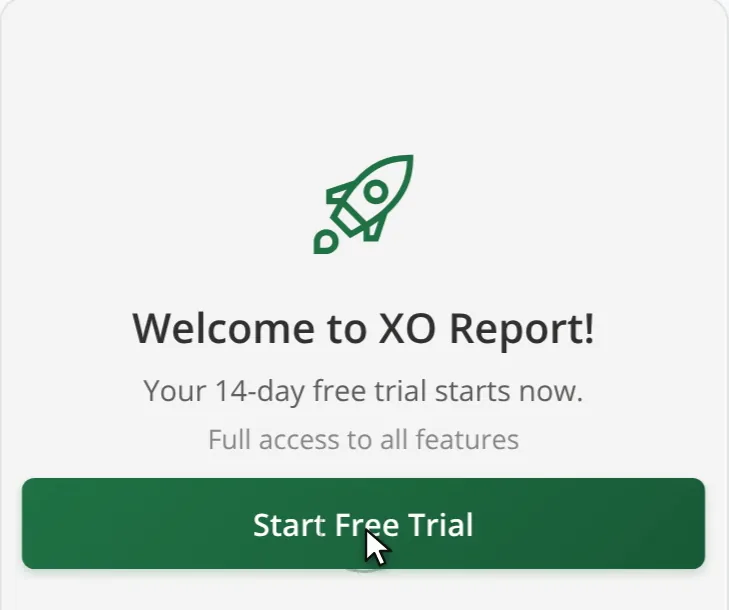
Your first connection opens a welcome screen. Click Start Free Trial: the trial lasts 14 days, with every feature and no credit card. Already use XO Report in Excel? Sign in with the same Xero login and your plan covers Google Sheets too.
STEP 4
Insert your first report
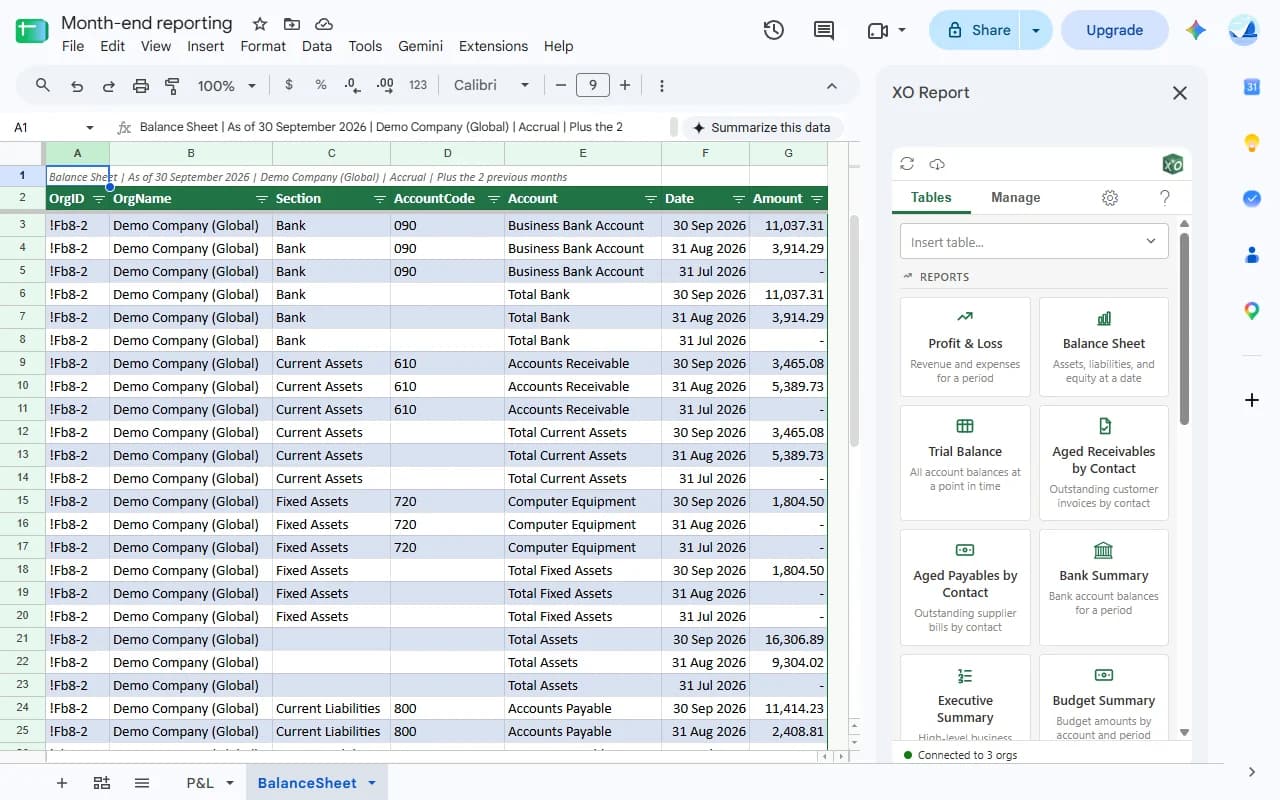
On the Tables tab, pick Profit & Loss, choose Last Month and click Insert. The report lands on a new tab as a formatted table with filters, the period and the company in its first row.
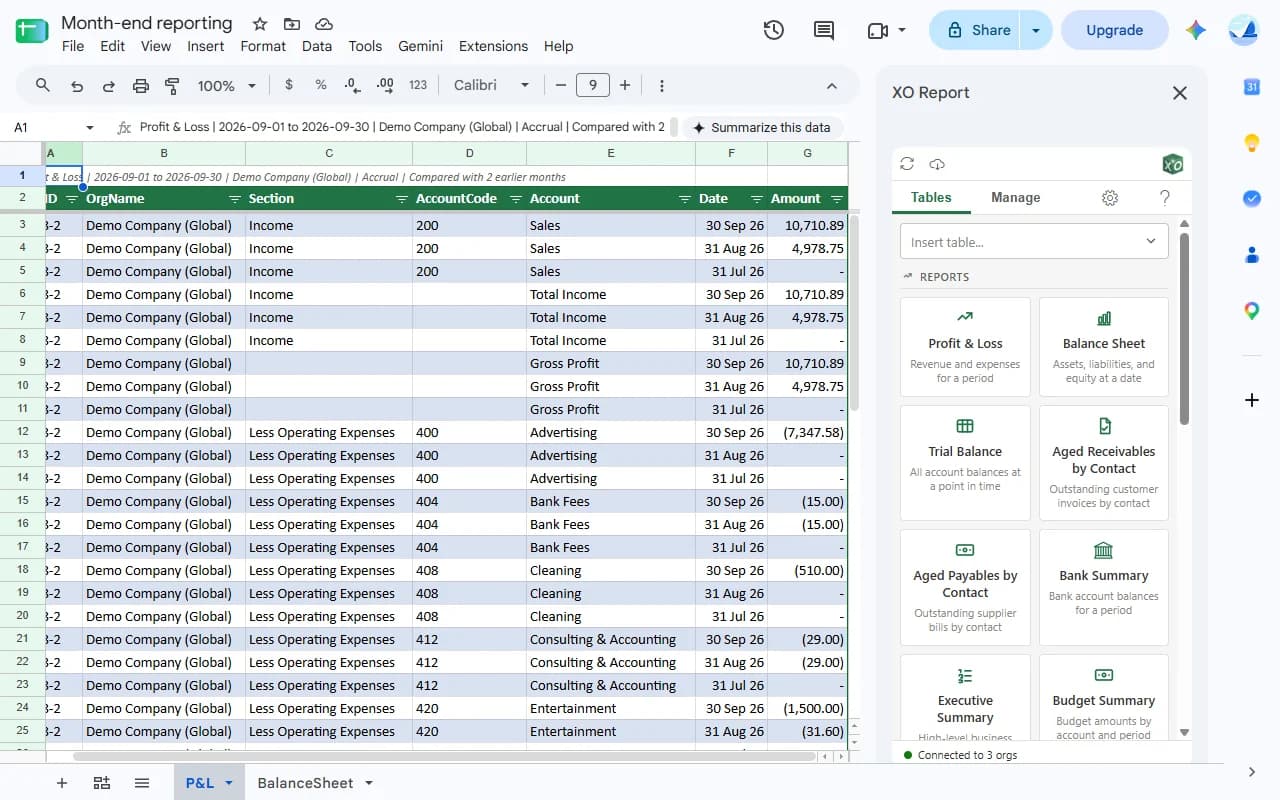
A Profit & Loss for September, here with the two months before it, and the report cards on the Tables tab. Scroll sideways to see the whole sheet.Demo company data STEP 5
Xero changed? Refresh
A late bill, a corrected invoice? Open the Manage tab and click the refresh button next to the table, or use Refresh all (the cloud icon at the top of the sidebar) for every table in the spreadsheet. The table updates where it is.
With a smart date such as Last Month, the period moves on by itself: refresh next month and you get next month. Refresh runs while the spreadsheet is open; nothing runs on a schedule.
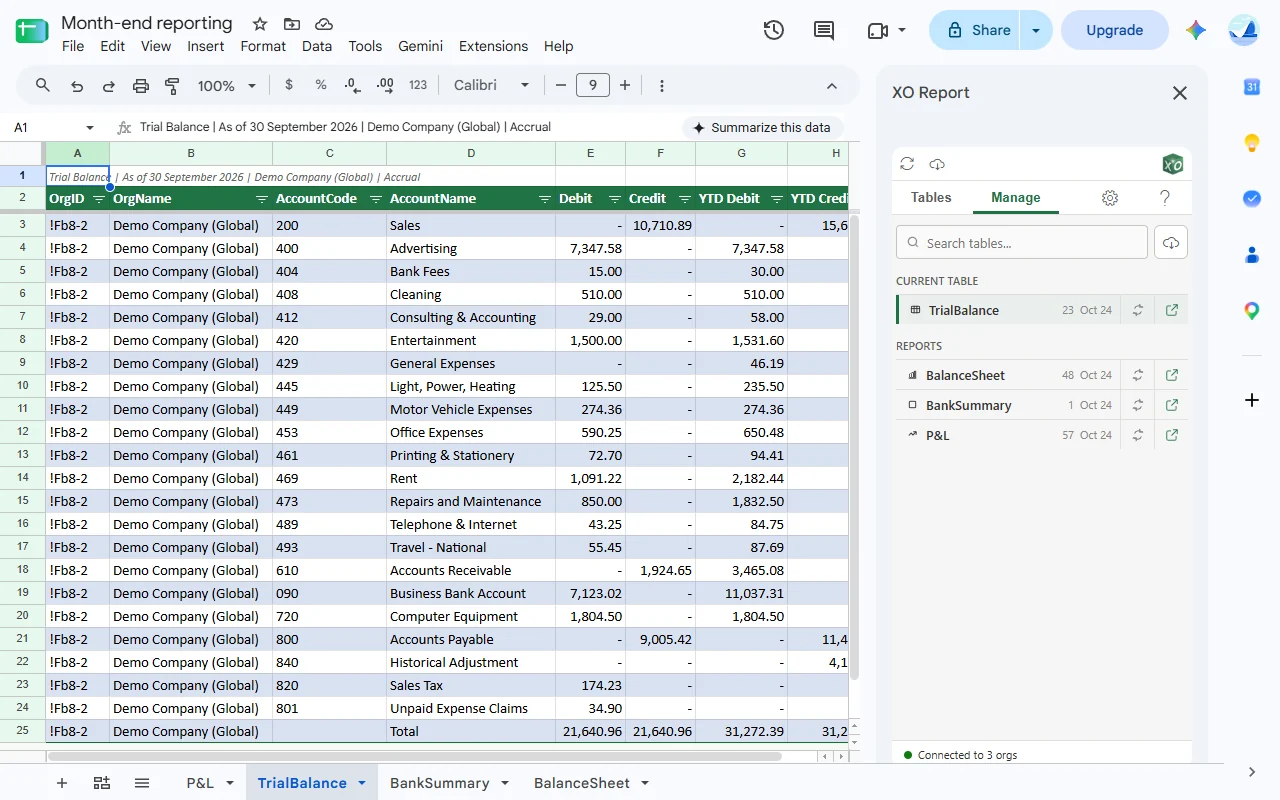
The Manage tab: every XO Report table in the spreadsheet, each with its own refresh. Scroll sideways to see the whole sheet.Demo company data
Watch it done in 80 seconds.
All five steps, start to finish.
Install the add-on, open the sidebar, connect a Xero company, insert a Profit and Loss, then refresh after a late bill.
What the connection can and can't do.
Read-only, from end to end.
Two permissions meet here: Xero's, for your figures, and Google's, for the spreadsheet.
It only reads Xero. There is no write access, so no report or table can create, edit or delete anything in Xero.
Your password stays with Xero. You sign in on Xero's own page, and XO Report never sees or stores the password.
One spreadsheet at a time. In Google, the add-on only sees the spreadsheet you have open, not the rest of your Drive.
Data moves when you ask. Figures come from Xero when you insert or refresh. Nothing refreshes on a schedule or while the spreadsheet is closed.
You can revoke it in Xero. Xero's own connected apps settings remove the link at any time.
One sign-in per organisation. Each organisation you add is its own connection, so you can remove one without touching the others.
Questions people ask.
- Is the connection secure? What can XO Report see?
- You sign in on Xero's own page, so XO Report never sees or stores your Xero password. Its access to Xero is read-only: it can read your figures, but no report or table can create, change or delete anything in Xero. In Google, the add-on only sees the spreadsheet you have open.
- Can I connect several Xero organisations?
- Yes. Xero adds one organisation per sign-in, so open Settings (the gear icon) in the sidebar and click Add organization for each one. How many you can use depends on your plan: Solo 1, Lite 3, Pro 10, Business 25, Max 50. Then tick several companies when you insert a report or a list to get them in one table; the aged reports, and reports filtered by a tracking category, take one company at a time.
- Do I need to connect again in every spreadsheet?
- No. Your Xero connection belongs to your XO Report account, not to the spreadsheet. Open the sidebar in any spreadsheet and your connected organisations are there.
- Xero shows my organisation greyed out. What now?
- Your Xero user needs permission to connect apps. Ask your Xero admin for the "Connect apps" permission and access to reports in that organisation, then connect again.
- How do I disconnect or sign out?
- To disconnect an organisation, open your account portal on xo-report.com, go to Advanced and click Disconnect next to it. To sign out of XO Report in Google Sheets, open Settings in the sidebar, then Advanced, and click Sign Out: your Xero connections stay. You can also remove the link from Xero's own connected apps settings at any time.
- Does it work with formulas like in Excel?
- In Google Sheets you get the reports and lists as tables, and build on them with your own VLOOKUP, SUMIFS and pivot tables. The custom formulas, such as XO.BALANCE, are only in the Excel add-in, which comes with the same subscription.
- Is there a cost, or a free trial?
- There is a 14-day free trial, with no credit card. There is no free plan: plans start at US$9.90 a month for Solo (1 organisation) and go up to Max at US$99.90 a month (50 organisations), with every user included. Enterprise covers more than 50.