FOR ACCOUNTANTS
Client reporting from Xero.
In Excel or Google Sheets.
Build a client's management pack once, in your own layout. Next month, change the dates and refresh. Every figure comes straight from that client's Xero.
14-day free trial. No credit card. Excel and Google Sheets.
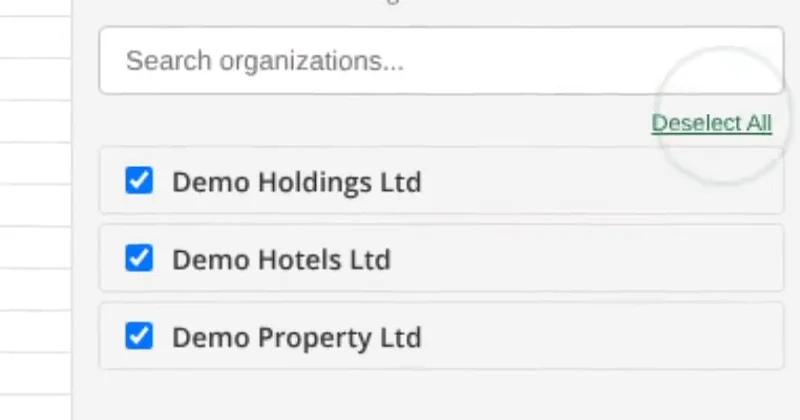
Every client in one list.
Connect each one once.
Sign in with Xero for each client's organisation. Xero adds one per sign-in. After that, pick the client when you insert a report or write a formula.
Priced by organisations, not people. Plans go from one Xero organisation up to 50, with unlimited users on every plan.
One subscription, both apps. The same plan covers Excel and Google Sheets.
The work you repeat for every client.
Built once, refreshed after.
Reports land as tables you can filter and pivot. Formulas sit in your own layout. Both refresh from Xero.
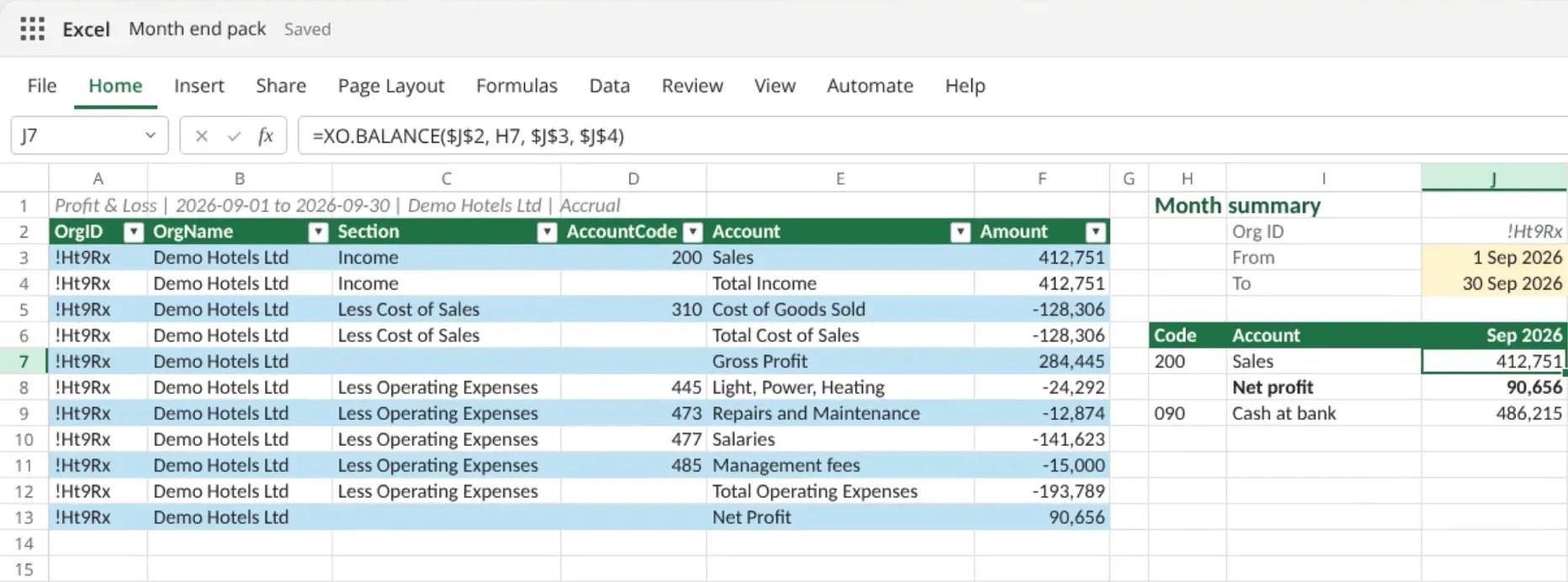
Monthly management packs
Lay the pack out your way and feed it from Xero. In Excel, formulas such as XO.BALANCE and XO.PROFIT fill each cell from a client and two date cells. In Excel or Google Sheets, insert the reports as tables and pull the figures into your layout with lookups. Next month, only the dates change.
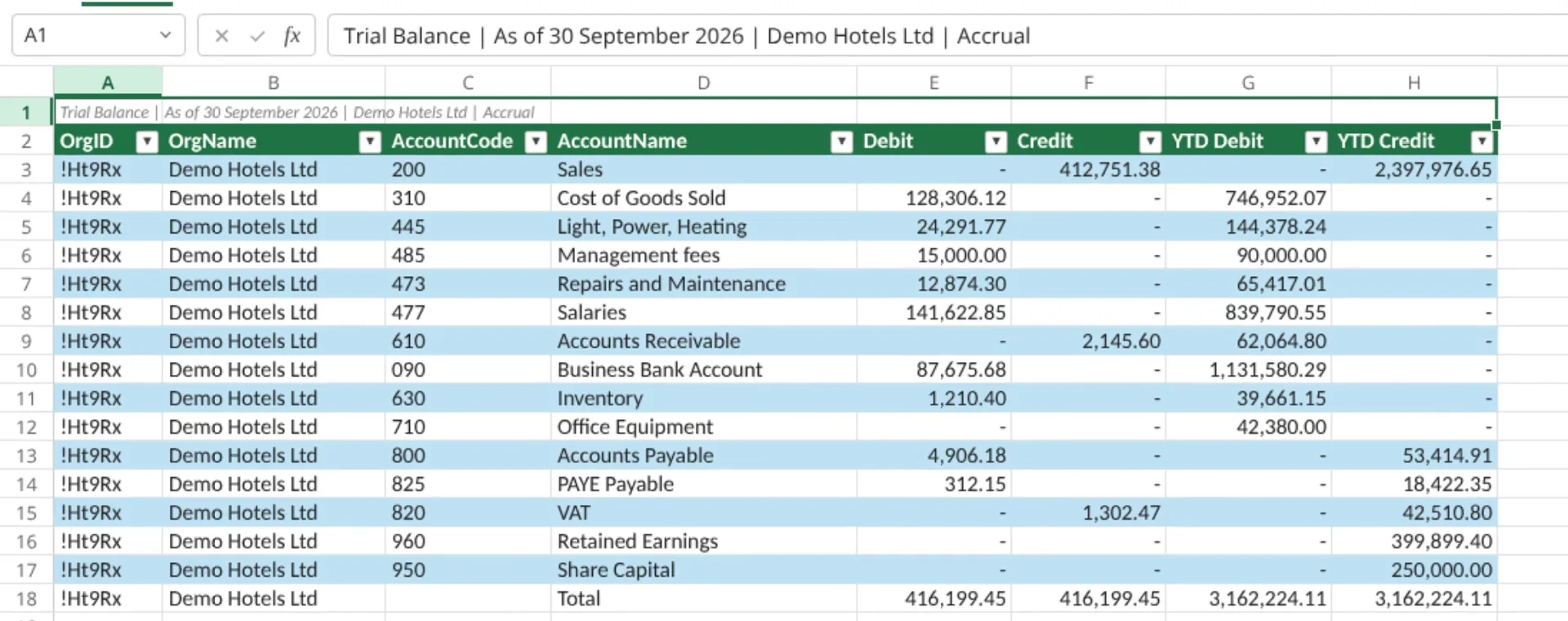
Year-end and review workpapers
Insert the Trial Balance at any date, with debit, credit and year-to-date columns, as a table beside your lead schedules.
Debtor reviews
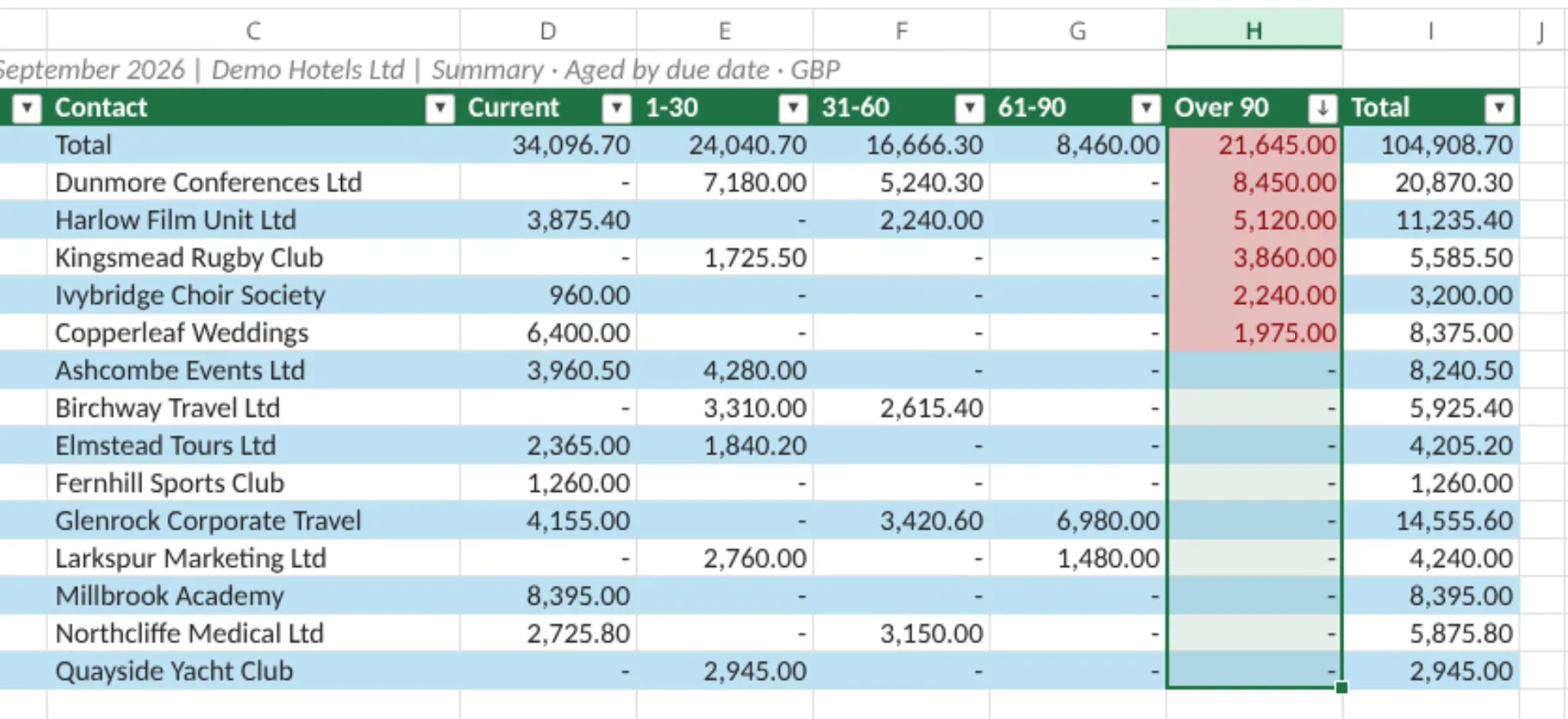
Insert Aged Receivables for a client and sort by the oldest column. You have the list for the next client call, with every figure from Xero.
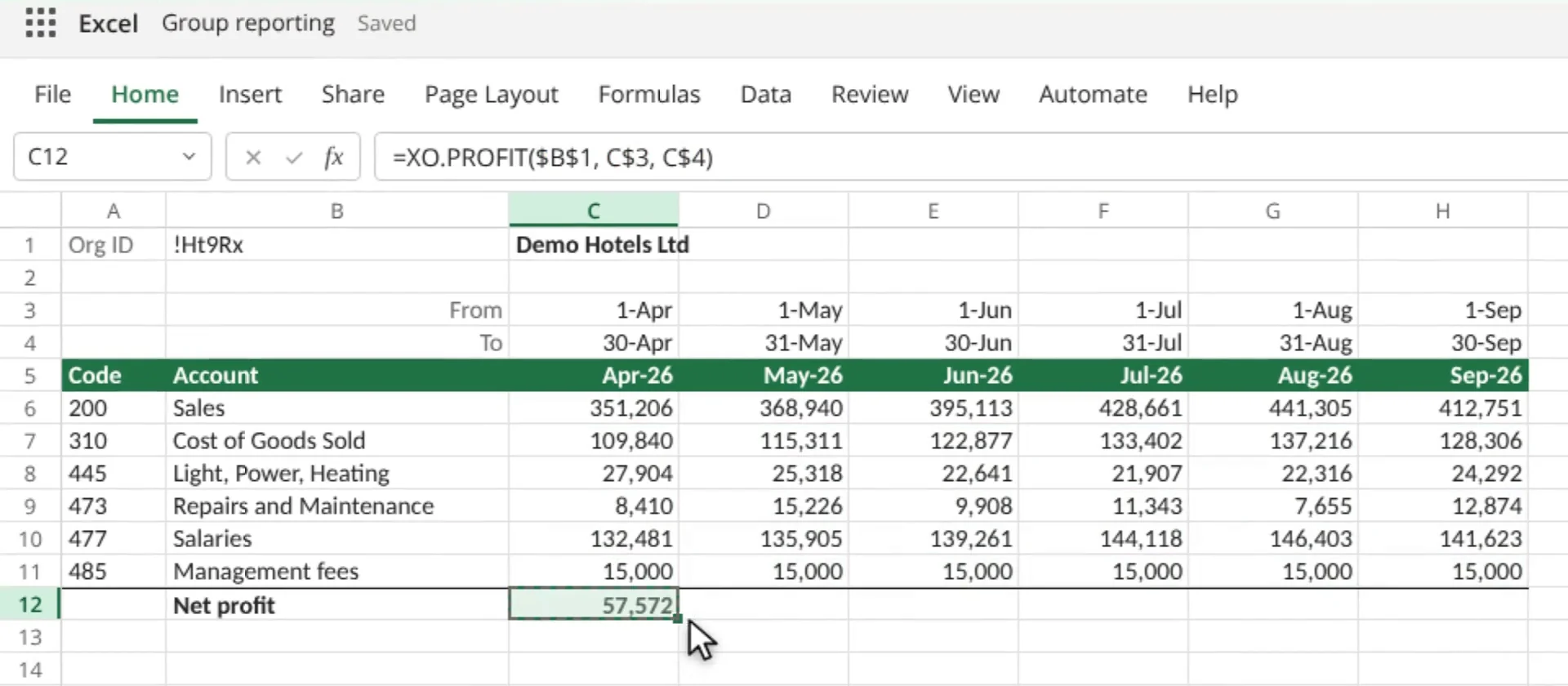
Clients with several companies
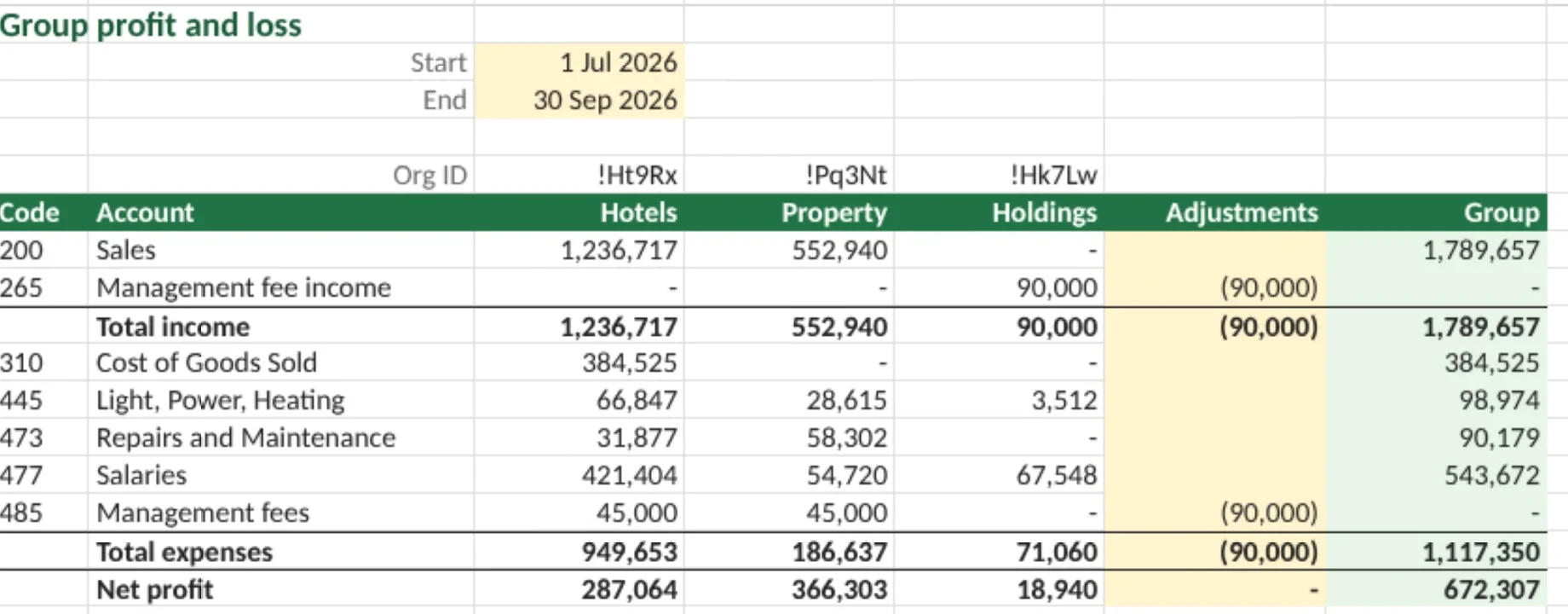
Insert one report for several companies, each row naming its company, in Excel or Google Sheets, then pivot it. In Excel you can also give each company its own column of XO.BALANCE formulas, add an adjustments column for the eliminations and total the group. Everything refreshes from Xero.
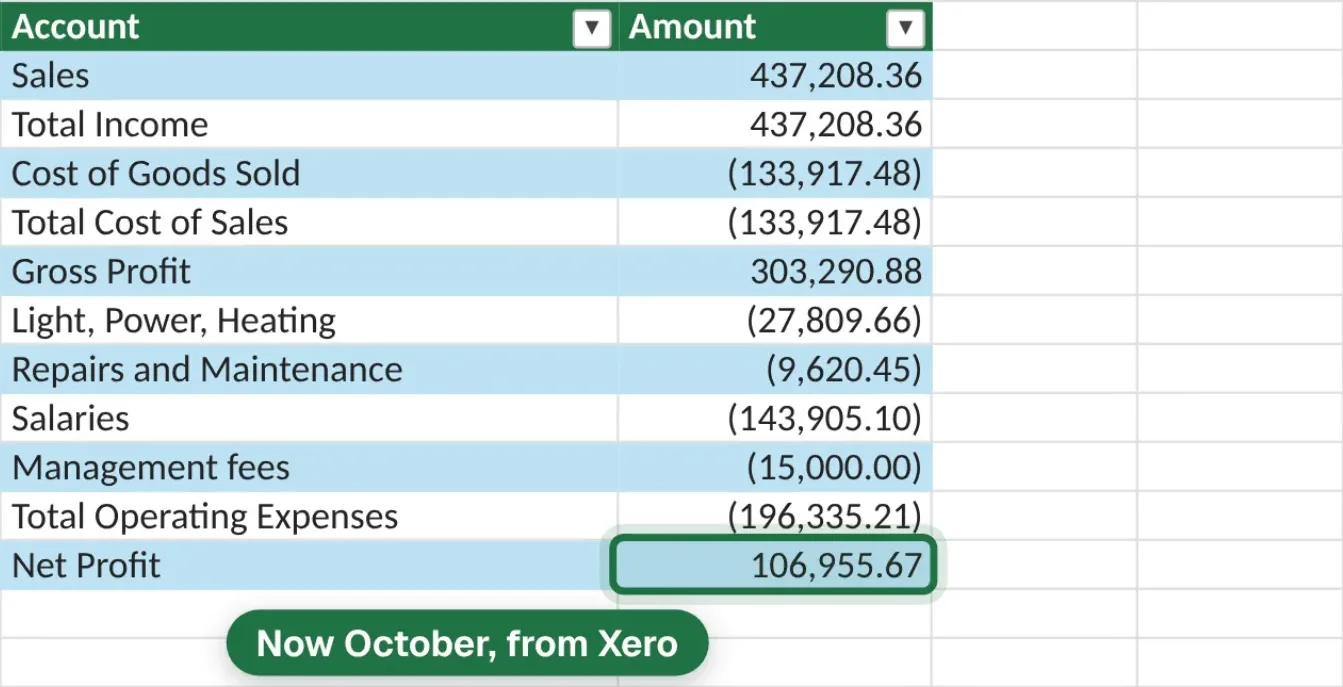
Next month, change the dates.
Then press Refresh.
The layout stays. The figures come again from Xero. The Refresh button in the add-in fetches fresh data from Xero; ordinary recalculation can reuse recent figures to keep the file quick.
Some clients live in Google Sheets?
Same reports, same plan.
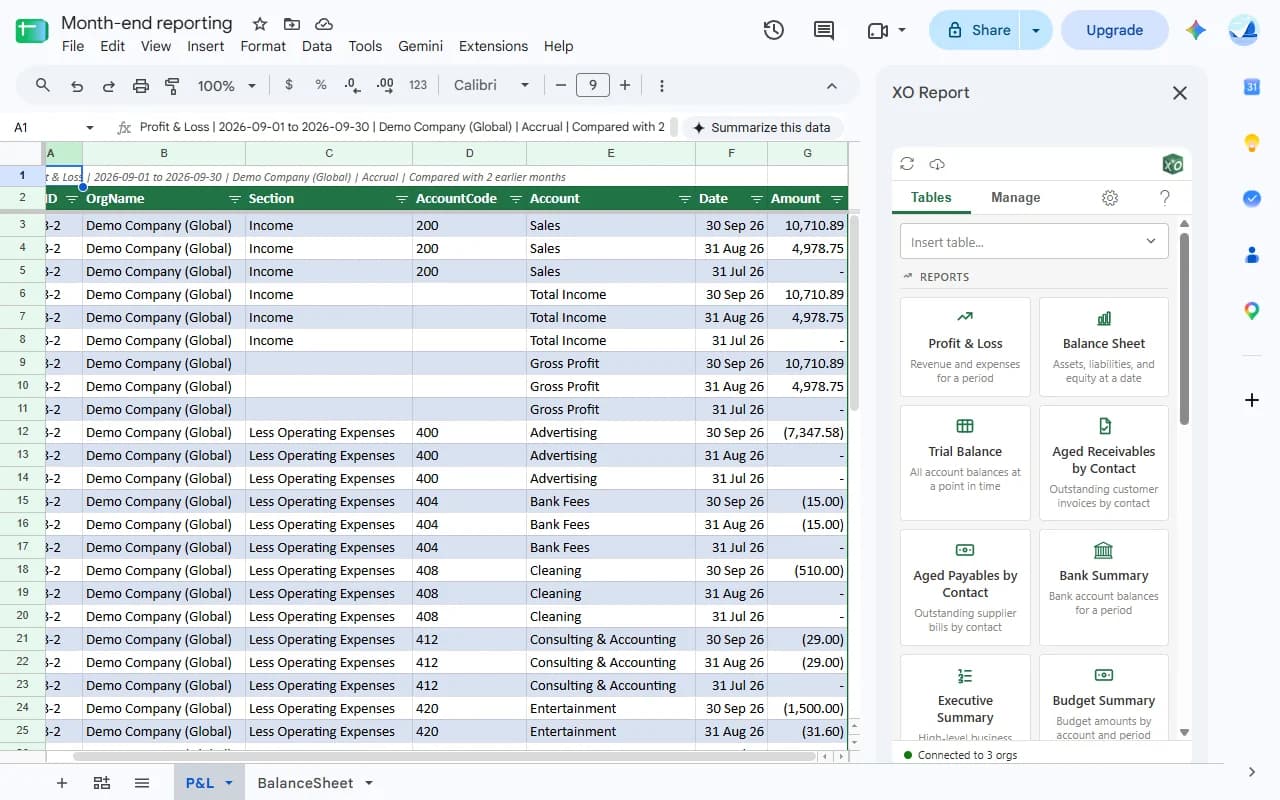
The reports and tables are in the Google Sheets sidebar too, with the same companies, dates and refresh. The custom functions, such as XO.BALANCE, are Excel only.
Priced by the number of organisations.
Unlimited users.
Every plan has every product feature and a 14-day free trial. For more than 50 organisations, ask us about Enterprise.
LITE
3 organisations
US$14.90 a month
PRO
10 organisations
US$29.90 a month
BUSINESS
25 organisations
US$49.90 a month
MAX
50 organisations
US$99.90 a month
All plans, including one organisation →
- Read-only access to Xero
- XO Report reads Xero data. It cannot create, change or delete anything in Xero.
- Sign in with Xero
- OAuth 2.0 on Xero's own page. Xero passwords are never stored.
- Excel or Google Sheets
- Excel on Windows, Mac and the web, and Google Sheets.
Questions accountants ask.
- Can I use XO Report for all my clients?
- Yes. Connect each client's Xero organisation from Settings; Xero adds one per sign-in, and your Xero login needs access to that organisation. Plans are sized by organisations: Lite 3, Pro 10, Business 25, Max 50. During the free trial you can connect all the organisations you want to test.
- Do my colleagues need their own subscription?
- No. Every plan has unlimited users. You pay for the number of Xero organisations, not the number of people.
- Can XO Report change a client's Xero data?
- No. Access is read-only. XO Report reads reports, balances and lists, and cannot create, change or delete anything in Xero.
- Does it work in Google Sheets?
- Yes for the reports and tables, under the same subscription. The custom functions, such as XO.BALANCE and XO.PROFIT, are Excel only.
- Which versions of Excel does it run in?
- Excel on Windows, Excel for Mac and Excel on the web, from Microsoft AppSource.
Try it on one of your clients.
Connect a client's Xero and build your first report. 14-day free trial, no credit card.
14-day trial · No credit card required · 30-day money-back guarantee