XO Report vs
Data Connectors
Zapier, Coupler.io and similar tools can copy Xero data into spreadsheets. Here is when they make sense, and when a Xero add-in fits better.
14-day free trial. No credit card.
The short answer.
It depends on how you work.
Both get Xero figures into Excel. Here is when each way makes sense.
Choose Data Connectors if:
- You need to connect many apps (not just Xero to Excel)
- You want Xero data in Airtable, a database or a BI tool
- You already have Zapier/Coupler and want to consolidate tools
Choose XO Report if:
- Your main need is Xero data in Excel or Google Sheets
- You want Excel formulas, not just data copies
- You want accounting reports ready to insert, several companies in one table
- You want simple, predictable pricing
The fair view
of data connectors.
What this way of working does well, and what to know before you rely on it.
Strengths
- Connect many apps, not only Xero
- Handy if you already use Zapier or Coupler.io for other work
- Flexible schedules
- Send data to Google Sheets, Airtable and more
Limitations
- No Excel formulas: data sync only
- Reports arrive as raw rows per data flow
- Figures only change at the next sync
- Per-task, per-account or row-capped pricing can get expensive
- Setup and upkeep for each flow
Where XO Report
is different.
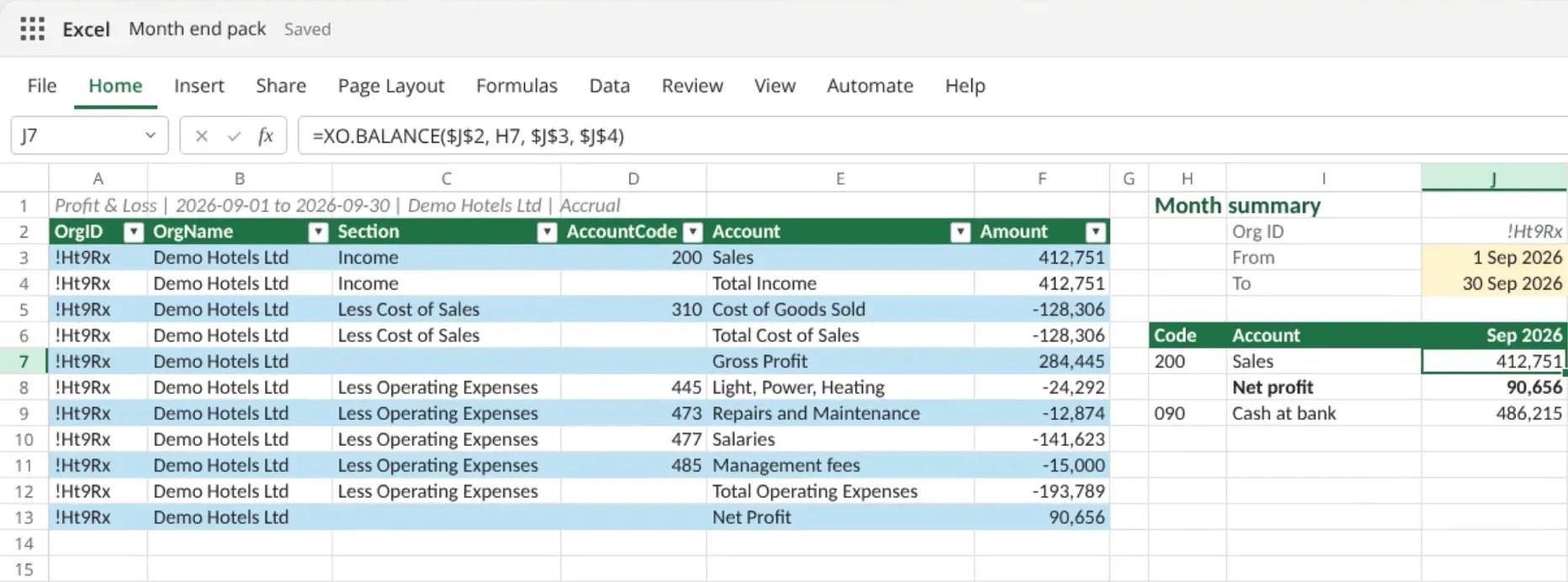
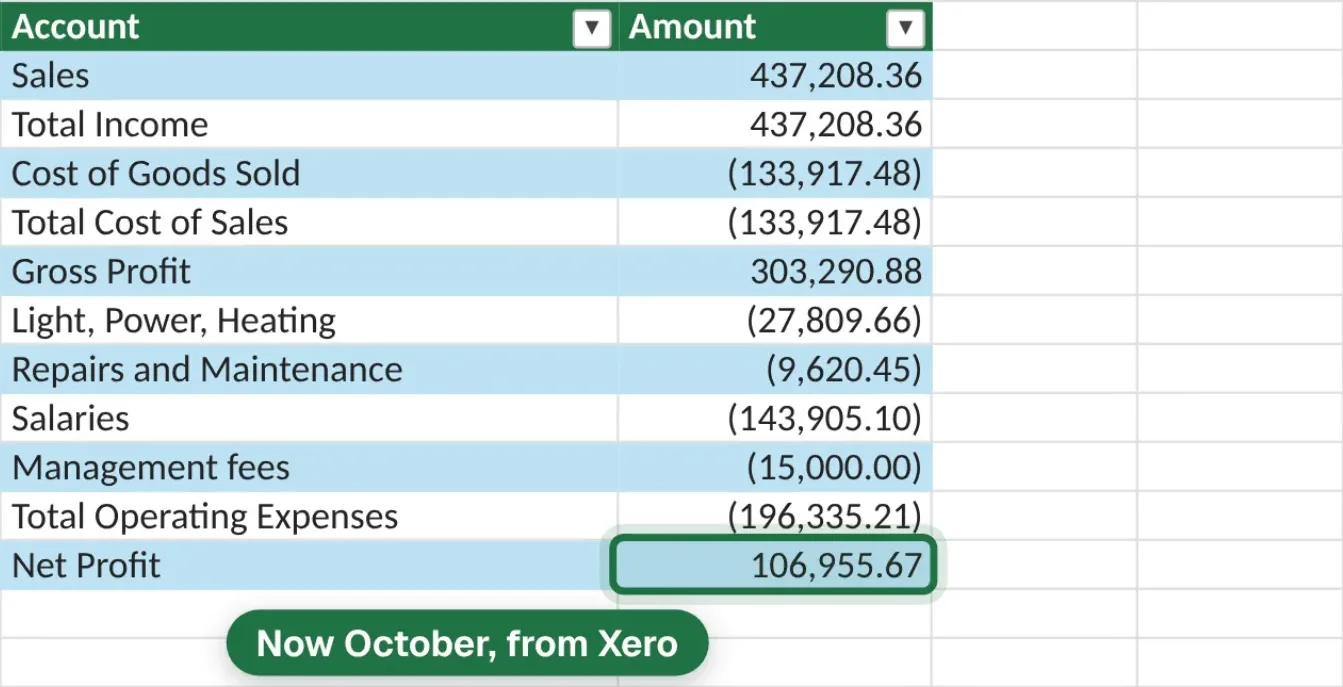
Reports as live tables in Excel and Google Sheets, formulas in any Excel cell, one company or many. Refresh when Xero changes.
Why choose XO Report
- Formulas like =XO.BALANCE in any cell; click Refresh in the task pane for the latest Xero figures
- Built only for Xero accounting data
- Ready-made reports for finance people, several companies in one table
- Works in Excel and Google Sheets on one plan
- Simple pricing by number of companies, no per-row charges
Pricing: Coupler.io monthly tiers are $32 Starter for 3 accounts, $132 Active for 15 accounts, and $259 Pro for 50 accounts. XO Report starts at $9.90/mo for one organization, with no refresh limits of its own (Xero's daily usage limits still apply).
Price comparison
Monthly list prices as published, before tax. Check each vendor's page for today's terms.
| Orgs | XO Report | Coupler.io | Savings |
|---|---|---|---|
| 1 | $9.90 | $32 | 69% |
| 5 | $29.90 | $132 | 77% |
| 50 | $99.90 | $259 | 61% |
See XO Report
at work.
Pictures of XO Report with demo company data. Each one opens a guide.
 Reports as live tablesA Profit & Loss straight from Xero, as a table you can filter, pivot and refresh.
 Several companies, one workbookOne company or many: in Excel, put each company in its own column with XO formulas and refresh them together.
 Formulas for your own layoutsXO.BALANCE and the other XO formulas, in any cell of your own sheet. Excel only.
 In Google Sheets tooThe same tables and reports from a sidebar, on the same plan.
Frequently asked questions
Can I use Zapier to get Xero data into Excel?
Yes, Zapier and similar tools can sync Xero data to spreadsheets. However, they don't provide Excel formulas, only copies of the data. XO Report offers formulas that work like any Excel formula, plus a Refresh button for the latest Xero figures.
What's the difference between Coupler.io and XO Report?
Coupler.io is a general-purpose data connector for many apps. XO Report is purpose-built for Xero-to-Excel with accounting-specific features: live formulas such as =XO.BALANCE, financial reports, and tables that can combine several Xero organisations into one table.
Try XO Report free
Add it to Excel or Google Sheets, connect Xero, and compare for yourself. 14-day free trial, no credit card required.
Free trial · No credit card · Cancel anytime