XO Report vs
Coupler.io
Looking for a Coupler.io alternative for Xero? Coupler.io copies data from hundreds of apps into spreadsheets on a schedule. XO Report is built only for Xero: reports and formulas that refresh inside Excel, and reports in Google Sheets.
14-day free trial. No credit card.
The short answer.
It depends on how you work.
Both bring Xero data into a spreadsheet. Here is who each one suits best.
Choose Coupler.io if:
- You need to pull data from many non-Xero sources (Stripe, HubSpot, Shopify, GA4) in addition to Xero
- Your destination is BigQuery, Looker Studio or another warehouse or BI tool, not a spreadsheet
- You already use Coupler.io for other integrations and want to consolidate tools
Choose XO Report if:
- Xero is your data source and you report in Excel or Google Sheets
- You want live Xero formulas in Excel, not scheduled copies
- You want several Xero companies in one table
The fair view
of Coupler.io.
What Coupler.io does well, and what to know before you choose it.
Strengths
- 400+ data sources beyond Xero, such as Stripe, HubSpot, Shopify and GA4
- Scheduled refreshes without writing code
- Sends data to Google Sheets, Excel, BigQuery and Looker Studio
- Listed on the Xero App Store
- A free plan to try it
Limitations
- No worksheet formulas: it copies data into cells
- Figures change only when a data flow runs, on its schedule or when you run it
- Priced by connected accounts (Starter covers 3), so check how it counts several Xero organizations before you rely on it for a group
- Aged receivables and payables come one contact per data flow, not as one report for all contacts
Where XO Report
is different.
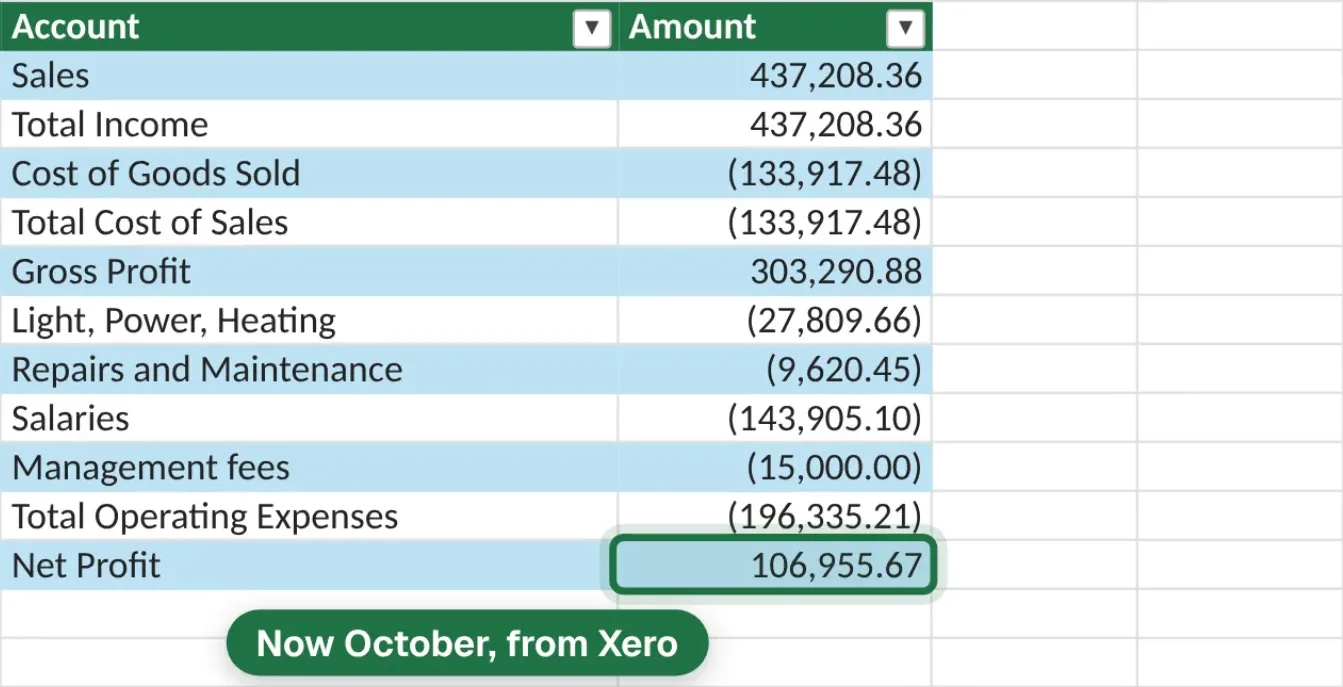
Reports as live tables in Excel and Google Sheets, formulas in any Excel cell, one company or many. Refresh when Xero changes.
Why choose XO Report
- Formulas like =XO.BALANCE and =XO.PROFIT in any cell; click Refresh in the task pane for the latest Xero figures
- Ready-made reports: P&L, Balance Sheet, aged receivables and payables for all contacts, budgets
- Several Xero companies in one table, refreshed when you choose
- Lower entry price: $9.90/mo for XO Solo vs $32/mo for Coupler.io Starter
- Every feature on every plan, with unlimited users
Pricing: Coupler.io monthly tiers are $32 Starter for 3 accounts, $132 Active for 15 accounts, and $259 Pro for 50 accounts. XO Report starts at $9.90/mo for one organization (Solo), with plans by number of organizations.
Price comparison
Monthly list prices as published, before tax. Check each vendor's page for today's terms.
| Orgs | XO Report | Coupler.io | Savings |
|---|---|---|---|
| 1 | $9.90 | $32 | 69% |
| 5 | $29.90 | $132 | 77% |
| 50 | $99.90 | $259 | 61% |
See XO Report
at work.
Pictures of XO Report with demo company data. Each one opens a guide.
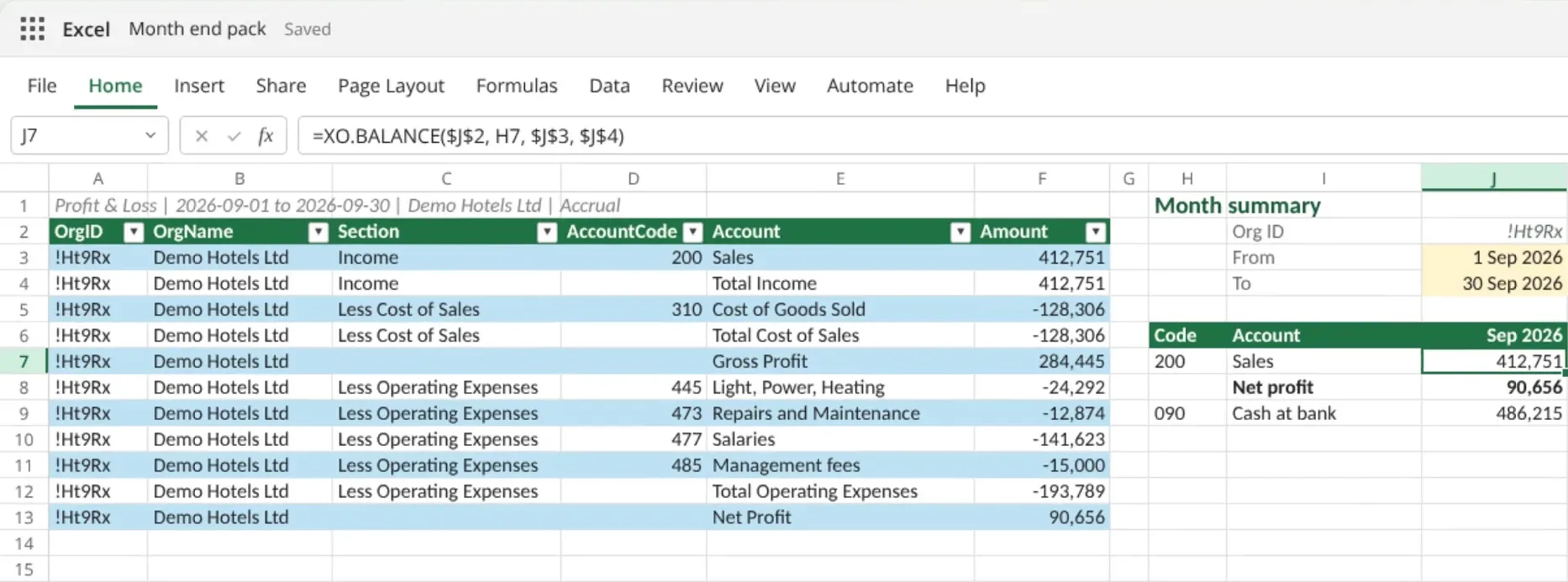
 Reports as live tablesA Profit & Loss straight from Xero, as a table you can filter, pivot and refresh.
 Several companies, one workbookOne company or many: in Excel, put each company in its own column with XO formulas and refresh them together.
 Formulas for your own layoutsXO.BALANCE and the other XO formulas, in any cell of your own sheet. Excel only.
 In Google Sheets tooThe same tables and reports from a sidebar, on the same plan.
Frequently asked questions
Is Coupler.io an Excel add-in?
Coupler.io has an Excel add-in for managing its data flows, but no custom worksheet functions. It sends Xero data on a schedule, or when you run it, into Excel workbooks in OneDrive, Google Sheets, BigQuery and other destinations. XO Report has functions like =XO.BALANCE in Excel, plus a Refresh button for the latest Xero figures.
Which is cheaper for one Xero organization?
XO Report. The Solo plan is $9.90/mo for one Xero org. Coupler.io Starter is $32/mo and covers up to 3 connected accounts. Coupler also has a free tier limited to 1 account, 100 rows per run and manual refresh.
Can Coupler.io combine data from multiple Xero organizations?
Yes. Coupler.io can add each Xero organization as a separate source and append them into one dataset, which it then sends to your spreadsheet on a schedule or when you run it. XO Report does it inside Excel or Google Sheets: for most tables and reports, pick several organizations when you insert them and they land in one table with organization name columns, refreshed when you choose. Its formulas, such as =XO.BALANCE, read one organization each, so you can add them together across organizations.
When does Coupler.io make more sense than XO Report?
When Xero is one of many sources you need (Stripe, HubSpot, Shopify, GA4), or your destination is BigQuery or a BI tool. For Xero reporting in Excel or Google Sheets, XO Report is purpose-built.
Try XO Report free
Add it to Excel or Google Sheets, connect Xero, and compare for yourself. 14-day free trial, no credit card required.
Free trial · No credit card · Cancel anytime